
Help Centre › Money
Sending an invoice to a client
Send the invoice by WhatsApp or text the moment it is finished — as a link the client opens on their phone, with no login and no attachment.
When you finish a consultation, a sale, a hospital stay, a boarding stay or a groom, FastVet now shows you the invoice you have just raised and offers to send it to the client there and then — over WhatsApp, by text, or as a link you can paste anywhere.
The client does not get an attachment and does not need a login. They get a link that opens their invoice in their phone's browser, with a button to save it as a PDF.
Sending it#
After you finish or discharge, the Send Invoice screen appears. It shows the client and what they owe overall, then the invoice you have just raised — the amount, the date, the patient and the first few things billed — then what has already happened by email, and then the ways to send it:
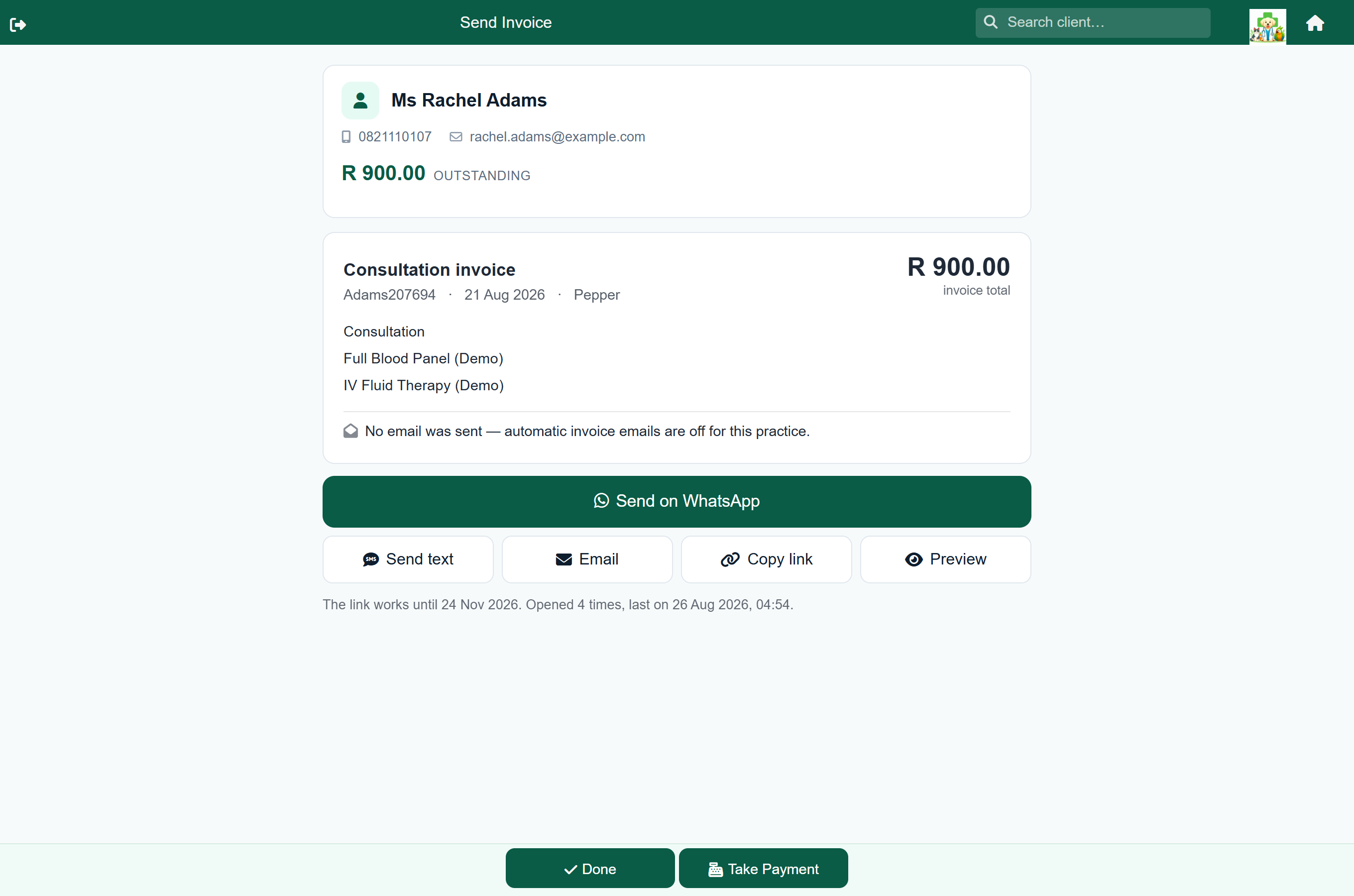
| Button | What it does |
|---|---|
| Opens WhatsApp with the client's chat and the message already written. Nothing is sent until you press send in WhatsApp — you see the client and the wording first. | |
| Send text | Sends the same wording as an SMS through your own SMS account. Only appears if you have SMS set up. |
| Email again | Emails the invoice — the same document, the same wording as the automatic one. Reads Email instead when nothing has gone out yet, and is hidden entirely if the client has no address on file. |
| Copy link | Copies the link on its own, to paste wherever you like. |
| Preview | Opens the client's copy exactly as they will see it, before you send anything. |
Then either Done, which takes you back where finishing always took you, or Take Payment, which goes straight to taking the money — useful when you invoice and get paid in the same conversation.
What the screen tells you#
- The client, and their account balance — the same block you see on Account Details and Add Payment, including any note your practice keeps on them and how overdue they are.
- The invoice total. This is the figure charged to their account, so it is the same number they will see on the invoice itself and on their statement.
- What it was for — the first few billed lines, and how many more there are.
- Whether it has already been emailed, covered below.
Whether the client already has it#
A line near the top of the screen says what became of the invoice email, so you are not guessing whether to send a second copy:
| It says | What it means |
|---|---|
| Emailed to [email protected] | It has gone. No need to send it again unless the client asks. |
| Emailing to [email protected] | It is queued and goes out within a minute or two. This is the normal state in the first moments after finishing. |
| The email could not be delivered | It was tried and failed — usually a wrong address. Worth correcting the address, and sending by WhatsApp meanwhile. |
| No email was sent — automatic invoice emails are off | Your practice has that setting turned off. You can still send this one by hand. |
| No email was sent — this client has no email address on file | Nothing to send to. WhatsApp or a text is the way. |
| No emailed copy is recorded for this invoice | Nothing on record. Usually a zero-value invoice, or an older one raised before FastVet began keeping this record. |
Sending it again later#
Client›Account
Every invoice row on a client's account has a Share button. It opens the same screen, so “I never got it” takes one tap to answer.
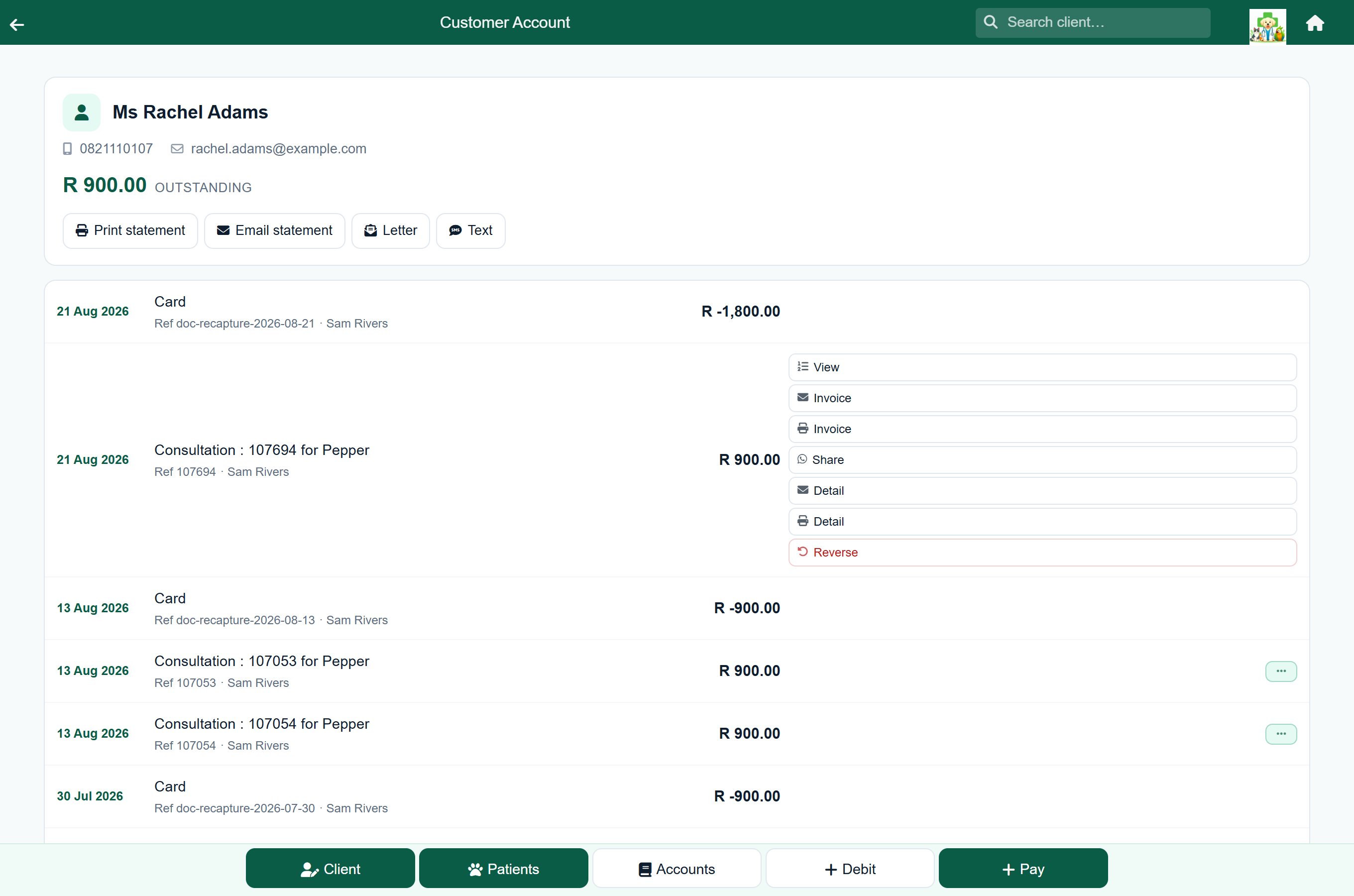
Sharing the same invoice again gives the client the same link, not a second one — and the screen tells you whether they have opened it yet, and when they last did.
Getting the phone number right#
WhatsApp needs a client's number in international form — 2782 123 4567, not 082 123 4567. Almost every number on file is written the local way, so FastVet converts it for you using your practice's dialling code.
That dialling code is set under Settings → Integrations → SMS — the same setting text messages use.
What the client sees#
A page with your practice name at the top, the invoice itself, and a Download PDF button. No login, no account, nothing to install.
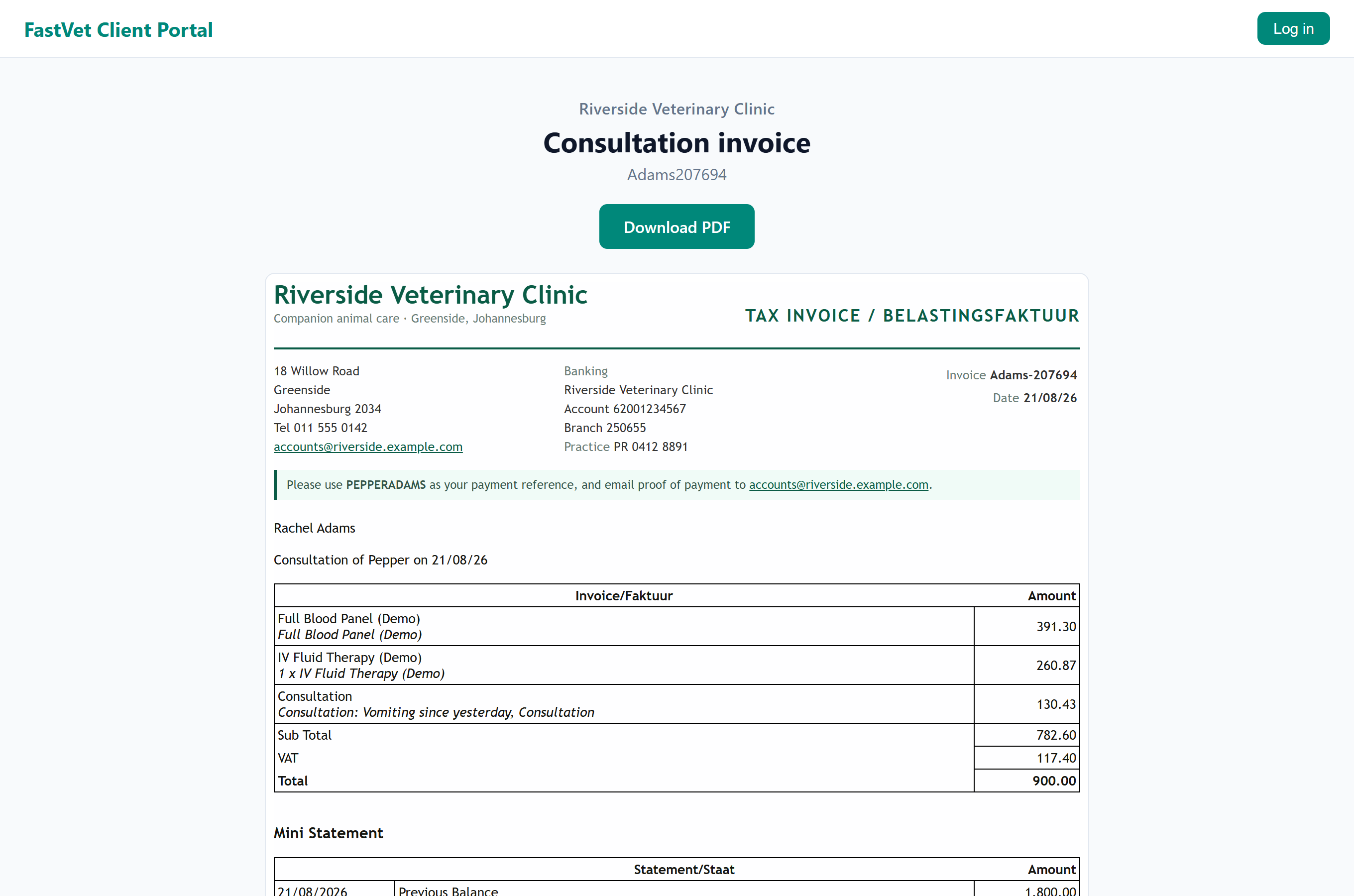
The invoice they see is the invoice as you sent it. It is kept exactly as it was the first time the client opened it, so if the consultation is later reversed and re-done at a different total, the copy in their hand does not silently change into something else. The page says which date it was issued on.
How private the link is#
The link contains a long random code. Nobody can guess it, work out another client's link from it, or count upwards to find one. It opens exactly one invoice and nothing else — no account history, no other pets, no balance to pay.
- It stops working 90 days after you create it.
- It shows you how many times the client has opened it.
- It is not indexed by search engines, and is not cached along the way.
What can and cannot be sent this way#
Every finished invoice: consultations, sales, hospital stays, boarding stays and grooms.
Statements cannot. A statement is a running balance that changes with the next payment, so a frozen copy would be wrong almost immediately. Statements go out by email as they always have.