
Appointments
Book against your own time slots, take walk-ins, and let clients request appointments online - then work the day from one live queue that carries each patient from arrival to consultation.
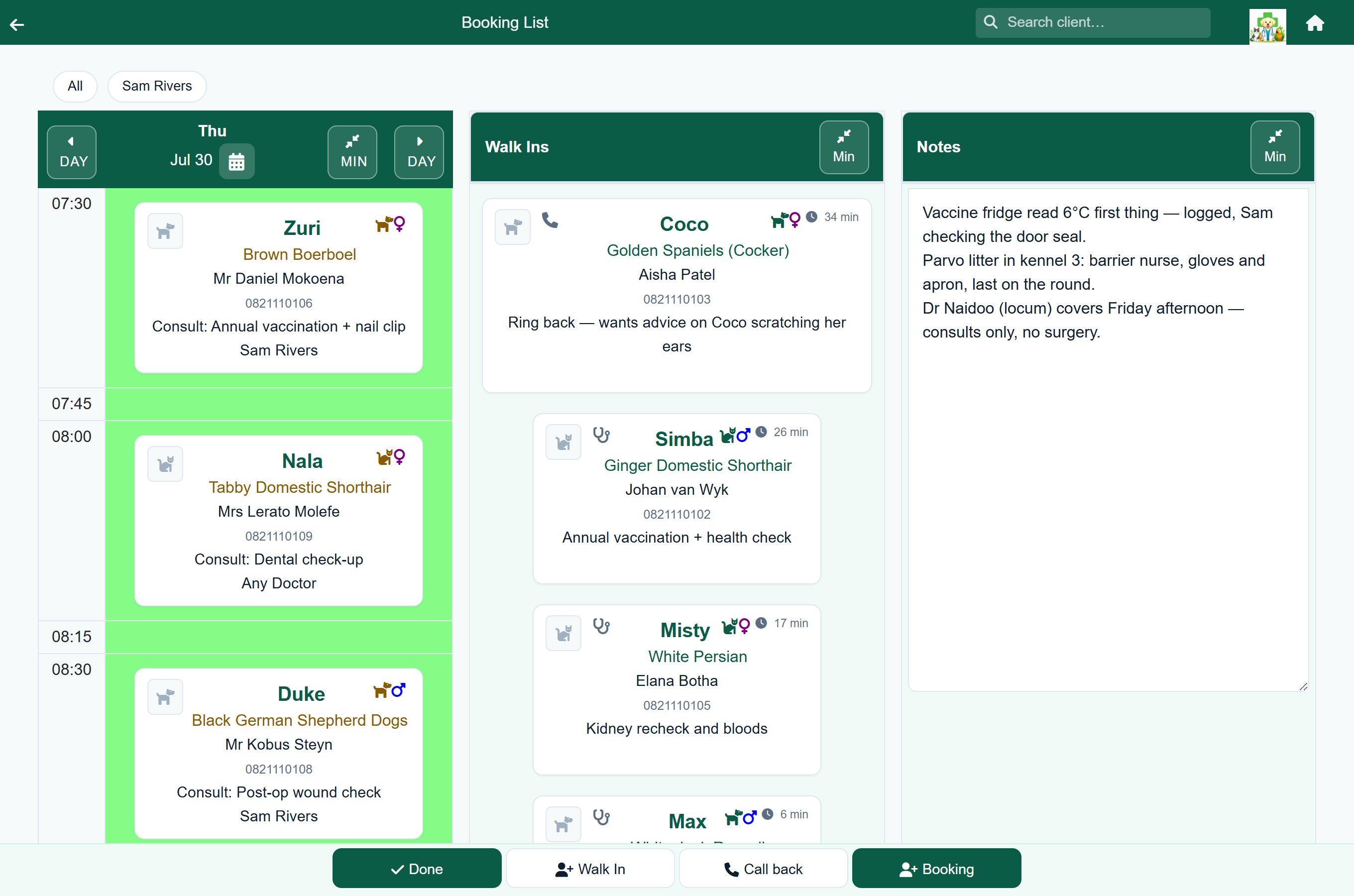
Bookings that fit your day
Create a booking for a patient with a reason and a doctor, and view the diary by day or by week. Bookings can be rescheduled, reassigned to a different vet or reason, or cancelled. You can also leave the doctor open as "any doctor" when it doesn't matter who sees the patient.
- Day and week views of the diary, with a per-day notes panel for the front desk.
- Pick a reason and a doctor - or leave it open as "any doctor".
- Reschedule, reassign or cancel a booking in a couple of taps.
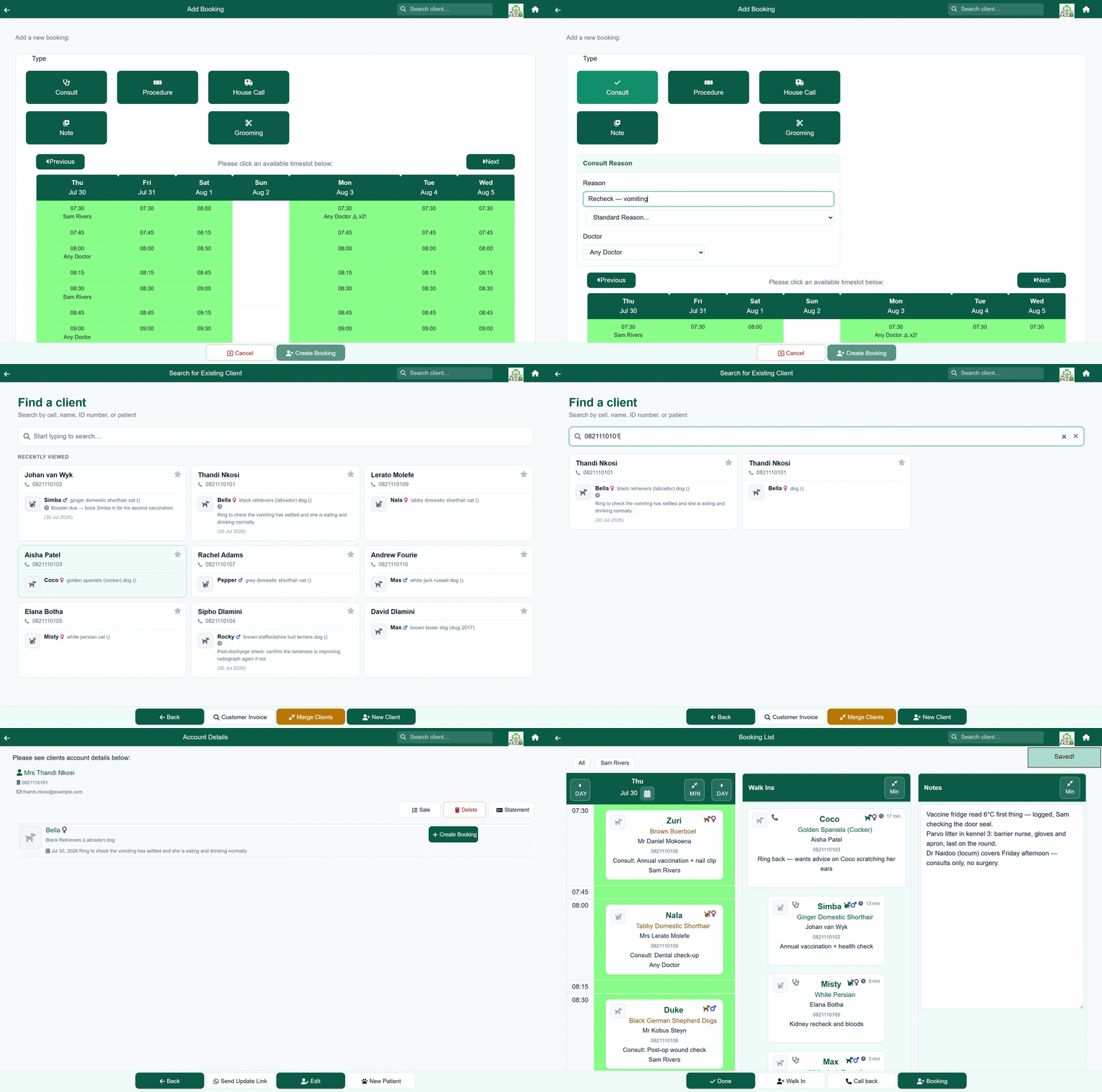
Time slots you control
Describe your week as sessions - "Monday to Friday, first appointment 07:30, last 13:00, every 20 minutes, two at a time" - and FastVet fills in every appointment time for you. Each session carries a colour, so the diary is easy to read at a glance. You see the whole week laid out before anything is saved, along with exactly what is about to change, and a new practice can start from a standard week and adjust it. The same times drive what clients can request through the online portal.
The diary can know which vet is in
Optionally, give each vet their working hours, their leave, and the odd extra session. Reception is never blocked by it - book a vet outside their hours and you get a note, not a refusal, because the person at the desk knows things the roster does not. Clients booking online are held to it, because they do not. Vets who only come in occasionally can be set to "available only on dates I schedule", and a vet with no hours entered stays available at every time, so switching this on cannot empty your diary.
One live queue for the whole team
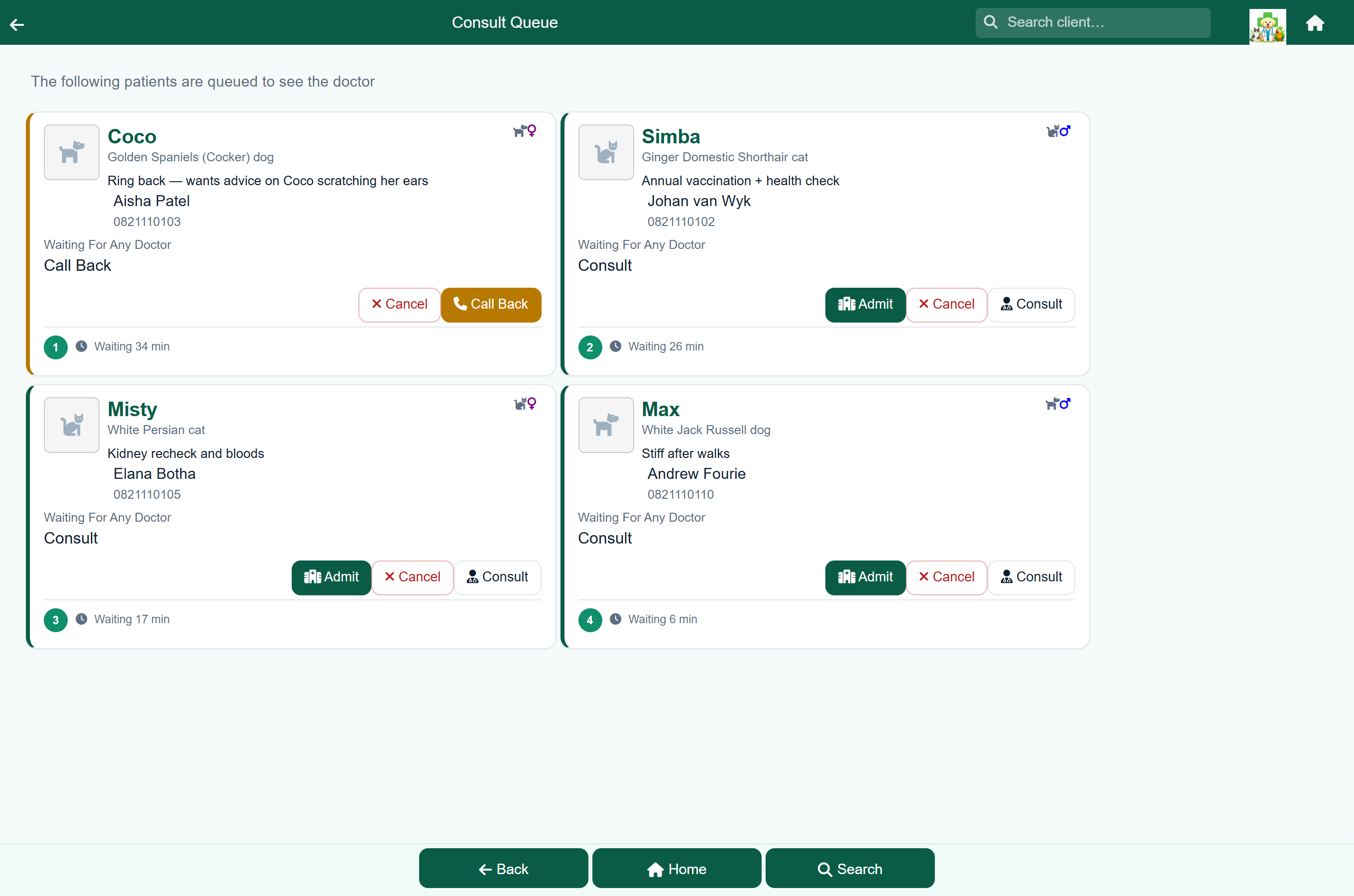
Bookings and walk-ins flow into a single queue. From there the doctor starts the consultation, the patient can be admitted to hospital, or a grooming visit begins - and the front desk sees live status the whole time, so nobody has to ask "who's next?"
Let clients book themselves
Turn on the client portal and clients can request appointments online against your available slots, right from their phone. They choose who they would like to see first - a named vet, or any available vet - and the calendar then shows only the times that vet can actually take. Those requests land in the same day view as everything else. Online self-booking is optional and can be switched off per practice. More about the client portal →
Frequently asked questions
Can clients book their own appointments online?
Yes. With the client portal enabled, clients request appointments online against your available slots, and they appear in your day view alongside front-desk bookings. Self-booking can be turned off per practice.
How do appointment slots work?
You describe your week as sessions - a start, a last appointment, how often, and how many patients at a time - and FastVet creates every appointment time from that. You see the week and the exact changes before anything is saved, and new practices can start from a standard week.
Can each vet have their own hours?
Yes, and it is optional. Give each vet their working hours, leave and one-off sessions, and the diary knows who is in when. Reception is warned but never blocked when booking outside those hours; clients booking online are only offered times the vet is genuinely available. A vet with no hours entered stays available at every time.
Can I take walk-ins?
Yes. Add a walk-in straight to the consult or grooming queue without a prior booking - walk-ins and booked appointments share the same live queue.
Does a booking turn into a consultation?
Yes. A booking flows into the day's queue, and from the queue you start the consultation or grooming visit, with live status visible to the front desk throughout.